Software /
FrameKeep
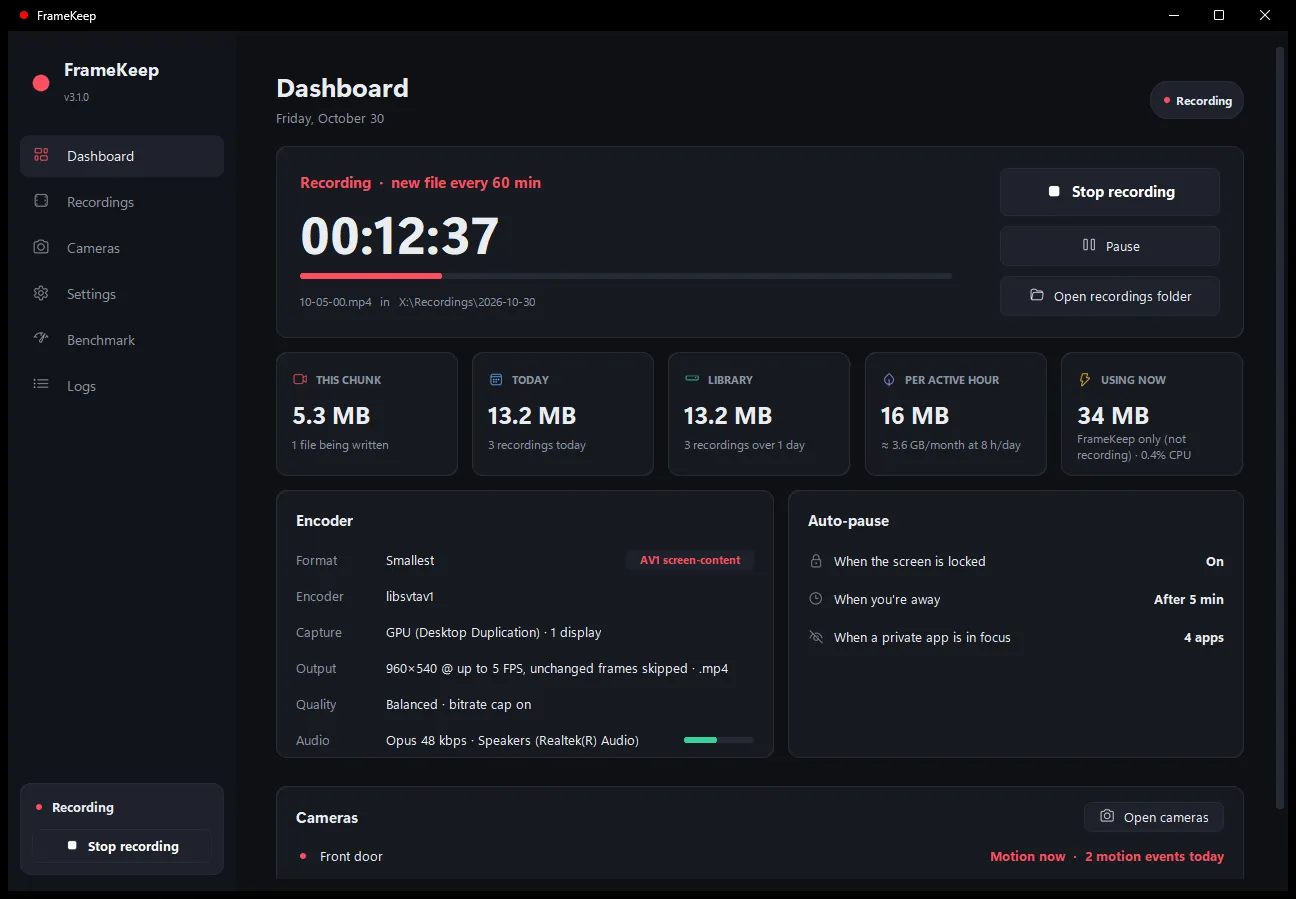
A low-power, tiny-file, non-invasive screen and camera recorder for all the moments you wish you had saved.
01
What it does
- Records the screen in H.266, AV1, H.265 or H.264, a new file every hour by default.
- Records webcams, capture cards, phones and network (RTSP) cameras around the clock, with motion marked on a timeline.
- Plays a whole day as one timeline in its own player, from 0.25x to 16x, with lossless clip export.
- Pauses when you lock the screen, step away, or bring a private app to the front.
- Lives in the tray, with a first-run benchmark that recommends the smallest format your CPU handles comfortably.
02
What it needs
- Windows10 or 11, 64-bit.
- CPUAny quad-core from roughly the last 10 years. Dual-cores over 2 GHz work with the lighter formats.
- Memory4 GB of RAM, 8 GB recommended for the Ultra format.
- GPUNot required. If you have one, FrameKeep uses it to capture the screen.
03
Measured
Memory while idle in the tray
68 MBto38 MB
version 3.0.0version 3.1.0
How it was measured
FrameKeep 3.0.0 against 3.1.0 on the same PC, with the same FFmpeg and the same 120-second desktop sample.FrameKeep performance notes.
Wake-ups a second in the tray
90to3
version 3.0.0version 3.1.0
How it was measured
The same test as the memory figure: 3.0.0 against 3.1.0 on the same PC.FrameKeep performance notes.
Size of an hour of screen activity
74 MBto21 MB
H.264, as in version 2H.266, Ultra
How it was measured
A 30-second desktop sample (code editor, terminal and a web app), 1080p downscaled to 960 by 540 at 5 FPS, Balanced quality, on an i5-12600K. Both score VMAF 97.0.FrameKeep README, How small?.
04
How small, by format
| Format | Codec | Per hour | CPU | VMAF |
|---|---|---|---|---|
| Ultra | H.266 / VVC | 21 MB | 2.7% | 97.0 |
| Smallest | AV1 screen-content | 32 MB | 1.0% | 97.4 |
| Compatible | H.264 | 53 MB | 0.7% | 96.8 |
| Smaller | H.265 / HEVC | 61 MB | 1.1% | 96.8 |
| Low CPU | AV1 on an NVIDIA GPU | 69 MB | 0.6% | 97.5 |
Per hour of screen activity, which is the worst case: idle time, a locked screen and auto-paused time cost close to nothing. Fast-moving content such as games and video needs far more. Your numbers will differ, and the built-in Benchmark measures them on your own PC. FrameKeep README.
05
What it does not do
- It never uploads anything and has no telemetry. The only network connections it makes are to network cameras you add yourself.
- It never edits, converts, moves or deletes an existing desktop recording. Deleting old recordings is up to you.
- Desktop audio is off unless you turn it on.
- H.266 files do not open in Windows' built-in player or in browsers yet. FrameKeep's own player opens them, and Share copy makes an H.264 file that plays anywhere.
07
Source and license
FrameKeep is MIT. The FFmpeg inside the download is a separate program under GPLv3.